
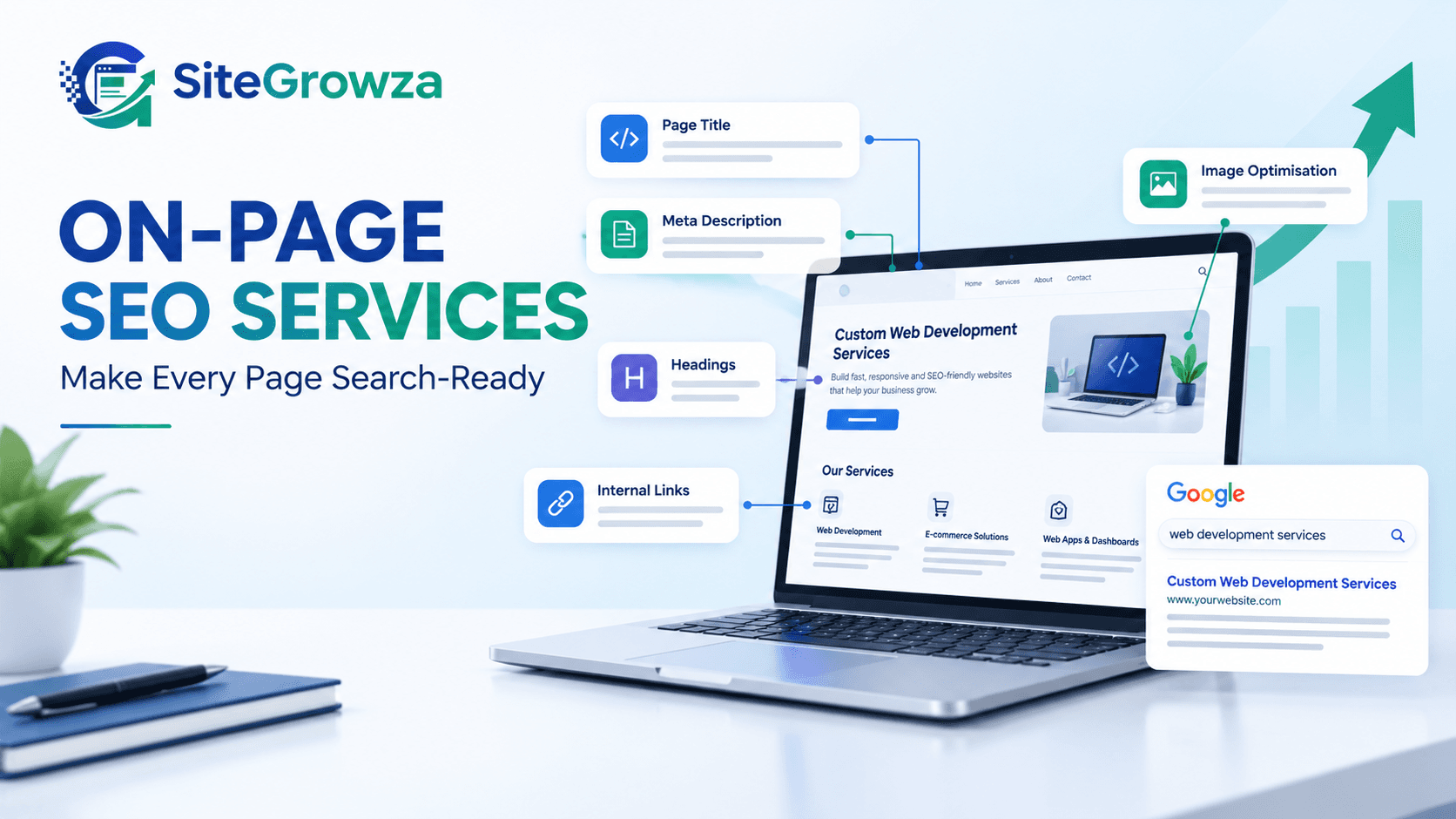
You have a website, but people are not finding it on Google. Your pages may have useful information, yet they receive very few clicks. This can happen when your content, page titles, headings, or website structure do not match what people are searching for.
This is where on page SEO services can help. They focus on improving the content and elements on your website so search engines can understand your pages and visitors can find useful information easily.
In this guide, you will learn what on-page SEO means, which areas need attention, and how to improve your website step by step.
What Are On Page SEO Services?
On page SEO services improve individual website pages to make their content more useful, relevant, and easier for search engines to understand.
These services focus on elements you can manage on your own website, such as:
Page titles and meta descriptions.
Headings and website content.
Keywords and search intent.
Internal links.
Image names and alt text.
URL structure and page readability.
Relevant technical elements that affect page understanding.
For example, a web development company may have a service page that says only, “We build websites.” A better page explains its services, target customers, process, and benefits in clear language.
This helps visitors understand the offer and gives search engines more useful context.
Why Does Your Website Need On-Page SEO?
A well-designed website may still struggle to attract organic traffic if its pages do not answer users' questions.
Here are common problems that on-page SEO can address.
1. Your pages target the wrong keywords
You may use industry terms that your customers rarely search for. Keyword research helps you understand the words and questions people use when looking for your services.
Choose a main keyword for each important page. Add related terms naturally where they help explain the topic.
2. Your titles do not attract clicks
A vague page title gives people little reason to visit your website.
Use a clear title that describes the page and matches the search intent. Avoid repeating the same keyword unnecessarily.
3. Your content is hard to read
Long paragraphs, unclear headings, and complicated words can make visitors leave without finding an answer.
Break content into short sections. Use simple language, clear examples, and bullet points where they help.
4. Visitors cannot find related information
Pages without useful internal links can make it harder for people to explore your website.
Add links to relevant service pages and supporting guides. This also helps search engines discover related pages. Google's link best practices explain how descriptive anchor text gives users and search engines useful context.
7 Important Areas to Improve With On-Page SEO
1. Optimise page titles
The page title helps people understand what a page offers before they click.
Follow these tips:
Make every important page title unique.
Place the main keyword naturally.
Describe the page accurately.
Keep the wording clear and useful.
Avoid repeating keywords to manipulate rankings.
For example, “SEO Services” is broad. “On Page SEO Services for Small Businesses” gives readers more context.
Google's title link guidance provides more advice on writing useful page titles.
2. Write useful meta descriptions
A meta description gives searchers a short summary of a page. Google may use it to create the search result snippet.
A good description should explain what the reader will learn or gain. Keep it specific to the page and avoid unsupported claims.
For example:
“Learn how on-page SEO improves website content, headings, internal links, and page structure with practical steps for small businesses.”
Remember, a meta description does not guarantee a higher ranking or a better click-through rate.
3. Organise headings properly
Headings help visitors scan your content and find answers quickly.
Use one clear H1 for the main topic. Divide the content into relevant H2 sections, then use H3 headings for supporting points.
For example:
H1: On Page SEO Services
H2: Why On-Page SEO Matters
H2: Important On-Page SEO Elements
H3: Page Titles and Meta Descriptions
H3: Content and Internal Links
Choose headings that describe the content below them. Read web.dev's guide to headings and sections for more information about page structure.
4. Improve website content
Your content should answer the visitor's question without making them search elsewhere for basic information.
Before publishing a page, check whether it:
Answers the main search query.
Explains the topic in simple language.
Covers important related questions.
Includes practical examples where useful.
Offers information that is specific to your business or audience.
Avoids repeated paragraphs and unnecessary keyword use.
Do not write only to reach a word count. Write enough to answer the topic properly.
5. Add relevant internal links
Internal links connect one page of your website to another. They help visitors discover related information and give search engines more context about your site.
For example, a guide about website optimisation could link to your SEO-friendly website development guide.
Use descriptive anchor text that explains the destination. Make sure the linked page is relevant to the surrounding paragraph.
6. Optimise images
Large images can slow down a page. Images without useful descriptions may also be less accessible to people using screen readers.
Improve your images by:
Compressing images without losing too much quality.
Using suitable image formats.
Giving files clear, descriptive names.
Adding helpful alt text to meaningful images.
Using responsive images for different screen sizes.
You can check image optimisation and discoverability recommendations in Google's image SEO best practices.
7. Review page performance and user experience
Visitors expect a website to load properly and work on mobile devices. Slow pages, broken elements, and difficult navigation can create a poor experience.
Review these areas:
Mobile layout and readability.
Loading speed and page stability.
Broken internal links.
Buttons and contact forms.
Duplicate or missing page titles.
Pages that search engines should be able to access.
Use Google Search Console's performance reports to review impressions, clicks, click-through rate, and average search position. Combine these findings with a website audit to decide what to fix first.
On-Page SEO Checklist for Your Website
Use this simple checklist when reviewing an important page.
Page review checklist
0 of 10
The page targets a clear search intent.
The page title is unique and descriptive.
The meta description summarises the page.
The H1 and supporting headings are clear.
The content answers the main user question.
Related keywords appear naturally.
Relevant internal links are included.
Images are compressed and have useful alt text.
The page works well on mobile devices.
The page has no known broken links.
Completing this checklist is a useful starting point. It does not guarantee rankings, but it can help you identify common issues before publishing or updating a page.
DIY SEO vs Professional On-Page SEO Services
You can make some improvements yourself. Professional support may be useful when you have many pages, technical issues, or limited time.
Area | DIY approach | Professional service |
|---|---|---|
Keyword research | Manual research with free tools | Structured research and page mapping |
Page titles | Update titles one by one | Review titles across priority pages |
Content | Edit and improve copy yourself | Content review based on search intent |
Internal links | Add relevant links manually | Review link structure and gaps |
Technical checks | Basic checks using online tools | Broader audit and prioritised fixes |
Reporting | Track key metrics yourself | Regular analysis and recommendations |
The right option depends on your website size, skills, budget, and available time. Ask any provider what work is included, how progress is measured, and which changes require developer support.
How SiteGrowza Can Help With On-Page SEO
SiteGrowza works with businesses that need practical website and digital solutions. On-page SEO can be part of a wider effort to improve website content, structure, performance, and user experience.
Depending on your website's needs, the work may include:
Reviewing important pages and their search intent.
Finding gaps in titles, headings, and content.
Improving relevant internal links.
Identifying image and performance issues.
Prioritising updates based on business needs.
You can explore the available SiteGrowza services to understand which solutions may suit your website.
The best starting point is a review of your current pages, target keywords, and search performance. This helps identify what needs attention instead of changing everything without a clear reason.
Conclusion: Make Every Website Page More Useful
On-page SEO is not just about adding keywords. It is about helping people find the right page, understand its content, and take the next step.
Start with your most important pages. Improve their titles, headings, content, internal links, images, and mobile experience. Then monitor search performance and update pages based on what you learn.
If you want help identifying website SEO issues and planning improvements, explore SiteGrowza's website and discuss your business goals with the team. A clear, well-planned approach can help you build a stronger foundation for long-term organic visibility.
One more relevant internal link to include in the blog: If your website needs changes beyond page content, explore custom web development solutions to understand how a better website structure can support your business needs.